

Thank you for your quick support and problem solving as soon as possible

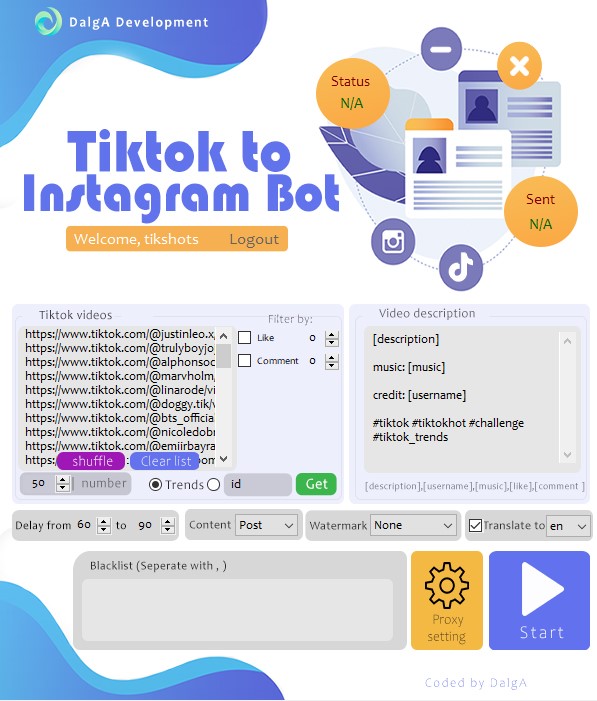
TIB grabs trending TikTok videos (or a specific username), adds your watermark, translates captions, and auto-posts them to your Instagram page or story.
Price: 199
Price Currency: USD
Operating System: Windows 7,Windows 8.1,Windows 10
Application Category: Assistant
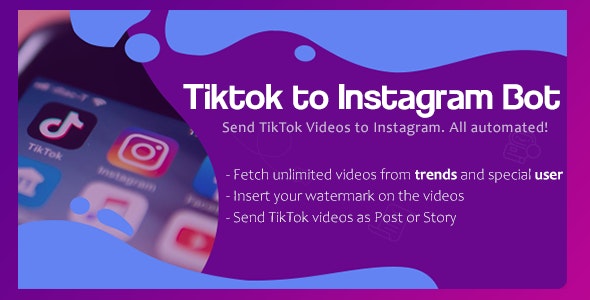
Tiktok is one of the popular social media in the network. It grows fast in the world. Maybe you’re a famous person in TikTok and want to move the videos to your Instagram page, or maybe you want to create an entertainment page that will have trended videos of TikTok, or even if you want to add fun TikTok videos as a story to your current IG page, TIB is here for doing all these kinds of stuff completely automatic!
TIB gets the trended videos from TikTok (or a specific username), adds your watermark, resizes the videos for publishing on Instagram, translates the TikTok videos’ and sends them to your IG page! want more? even it can choose the specific videos by filtering them by the number of comments or likes.
This IG page is created by TIB: tikshots
Pick a source — trending TikTok videos or a specific username. TIB downloads the videos, adds your watermark, resizes and re-frames them for Instagram, translates the caption into your language, and publishes them to your page as a post, a story, or both. Set a delay between posts and the whole entertainment page runs itself, 24/7.
–Sending TikTok videos to an Instagram page completely automatic!
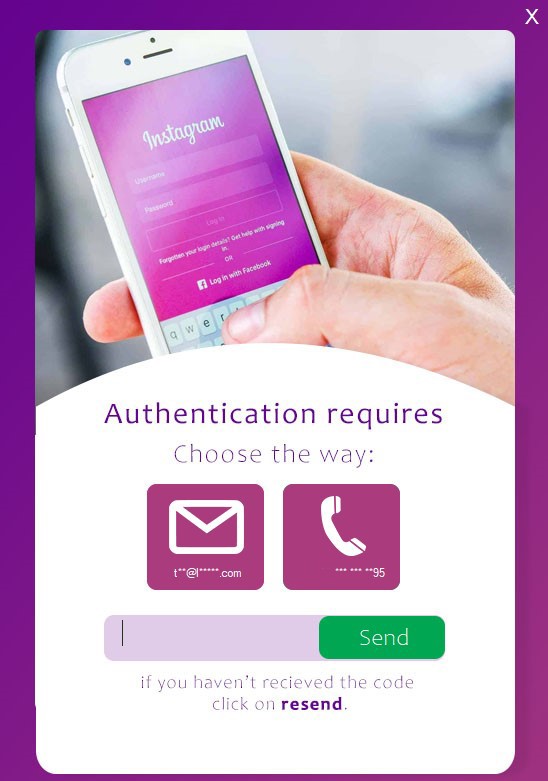
–Login to IG even if you have 2step verification
–TIB doesn’t send any data to our server
–Automatically Grabbing the trended videos
–Automatically Grabbing the videos of a specific username
–Sending videos as a Post or Story or Both of them at the same time!
–Sending the specific videos with choosing/filtering them by the numbers of likes or comments or even both!
–Define a delay time between sending each post
–Adding a watermark image to a video
–Ability for choosing the watermark’s place. ( Left-top, Right-top, center, left bottom, right bottom )
–Translating the description from EVERY language to a specific language
–word blacklist for preventing the videos which have the blacklisted words from publishing
–Add the proxies for being used in the TikTok and Instagram
–Build your caption template for sending to Instagram
–TIB supports emoji in the caption! You can enter emoji for sending to IG
–Get username, music name, description, likes and comments amount of the TikTok video. Inserting the username as credit will save you from copy-right violation!
–Accurate SENT and STATUS reports
–TIB saves the video links which are sent. It will prevent sending the duplicated videos
–Shuffle the list of videos with 1 click
–Automatically Arranging the frame size of the videos and thumbnail for sending to Instagram
–Using the thumbnail images of TikTok videos for Instagram posts’ thumbnail
–User-friendly and easy to use
–Full and step-by-step Instruction
* You can use TIB only on 1 system with a license that you buy.
*You will get an executable file, the source code is NOT included.
Sure yes!
NO, We save nothing from you (history, IG information, etc.) in our server.
Yes! TIB can work every day and every hour!
If you didn’t find your wished feature here, easily you can send a message to us and we can customize the software for your work!
1. Net Framework 4.7.2 or upper
2. Latest version of Google Chrome
3. Windows 7, 8.1, 10 / Windows Server 2012 R2 and above
4. 1024MB RAM or upper. ( Recommended +2GB)
5. 2Cores – 1000 MgHz CPU or upper
– V1.1.1 ( 2021/07/05)
- Tiktok core of the bot is checked and upgraded to the latest version of tiktok system.
- Added a toggle to enable/disable duplication prevention system.If you don’t want the bot to prevent duplicated videos from being sent, you can disable that feature
- Bult-in dependencies updater added. From now on, if any update comes out for tiktok’s core, you’ll be able to download and update the dependency directly from the bot. (If any updates comes, the bot will ask you if you want to upgrade)
- Minor bugs fixes and improvements
– V1.0.9 ( 2021/06/11)
- Changes made to make the bot compatible with TikTok’s newest version
– V1.0.8 ( 2021/03/16)
- Improvements and bug resolves
– V1.0.7 ( 2021/02/11)
- ENHANCEMENT: Core is updated
– V1.0.6 ( 2020/12/17)
- ENHANCEMENT: Tiktok core is updated to the latest algorithm
- ENHANCEMENT: Black background that was necessary for fitting the video is converted to white background in the videos
– V1.0.5 ( 2020/11/11)
- ENHANCEMENT: Core is updated
– V1.0.4 ( 2020/10/27)
- ENHANCEMENT: Downloading from tiktok’s method is updated. The software continues with ALL of its power!
– V1.0.3 ( 2020/09/21 )
- ENHANCEMENT: Downloading from tiktok’s method is improved
- Bug fixes.
– V1.0.2 ( 2020/09/21 )
- Downloading method is updated.
– V1.0.1 ( 2020/09/08)
- Bugs Fixed
- Improvements
– V1.0.1 ( 2020/09/07)
- TIB lunched!
Yes — filter by the number of likes, comments, or both, and use the word blacklist to keep unwanted videos off your page.
No. TIB remembers every video link it has already sent and skips duplicates automatically (you can disable this if you want).
No. Everything runs locally on your own computer — TIB sends no history or account information to our servers, and it can log in even when two-step verification is enabled.
Any language. TIB translates each video’s description from every source language into the specific language you choose, then drops it into your caption template before posting.
| License Duration | Lifetime |
|---|---|
| Supported Operating Systems | Windows 10, Windows 7, Windows 8.1, Windows Servers (RDP) |
| Number of devices supported | 1 Device |
| Free Support Duration | 6 Months |
| Free Installation Service Included | Yes |
Read verified feedback from our customers.
Thank you for your quick support and problem solving as soon as possible

Awesome YouTube Bot
From: $49.00 / month with a 14-day free trial
Awesome YouTube Bot automates views, watch time, likes, and comments with a full toolkit of IP-changing methods. Supports multiple campaigns, accounts, and targeting options.
…