
Video course · 22 lessons
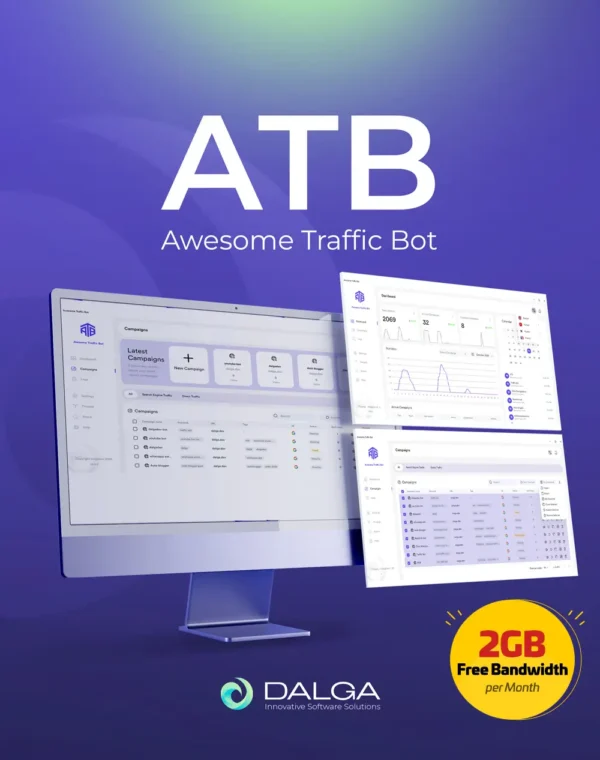
Awesome Traffic Bot tutorial.
Awesome Traffic Bot tutorial.
Every feature, on video.
Practical, screen-recorded lessons that take you from installing ATB to running search, Maps and social campaigns, rotating IPs and automating sessions with AI. Pick any lesson and it plays right here.
Free to watch. No account needed.

Lesson 01Start here28:21
Getting started with Awesome Traffic Bot
The full tour: install ATB, find your way around the interface and run a first campaign from start to finish. If you only watch one lesson, make it this one.
Course playlist22 lessons · 3h 44m
22video lessons
224 minof walkthroughs
6modules, beginner to AI
175+countries of Dalga IPs
Learning path
New to ATB? Watch in this order.
You do not need all 22 lessons on day one. These twelve cover the setup most people run, in the order you will need them. Click any lesson to play it above.
1
Install and run a first campaign
Get ATB running, learn the interface, then build the campaign you bought it for.
2
Choose where traffic comes from
Use the included Dalga IPs, your own proxies or a phone. Each one has a short lesson.
3
Make every session look human
Persistent profiles, warm-up, a believable location and a sensible spread across keywords.
4
Automate the rest
Script what happens on the page, build workflows and hand the decisions to AI.
Prefer reading?
Step-by-step written guides
The same setup in text, for when you want to copy a setting rather than pause a video.
Awesome Traffic Bot documentation
Every setting explained, from installation and licence activation to campaign options, IP modes and troubleshooting.
Open the docs
Send clicks to your keyword on GoogleRaise the organic click-through rate of a page for the keyword it already ranks for.Read the guide
Send clicks to your keyword on NaverThe same campaign set up for Naver, the search engine most of Korea uses.Read the guide
Use VPN mode in Awesome Traffic BotChange IP between sessions with a VPN client instead of a proxy list.Read the guide
Use proxy mode in Awesome Traffic BotLoad your proxies and let ATB rotate through them on every visit.Read the guide
FAQ
Questions about the tutorials
What people ask most often when they are learning ATB.
01Where should a complete beginner start?
With lesson 1, Getting started with Awesome Traffic Bot. It is the longest video in the course because it covers the whole flow, from installation to a running campaign. After that, jump to the lesson for the campaign type you need: search (lesson 2), Google Maps (lesson 3) or social (lesson 6).
02Do I need my own proxies to follow along?
No. Every licence includes Dalga IPs, residential addresses in 175+ countries with 2GB of bandwidth a month, and lesson 20 shows how to target a country or city with them. If you already have proxies or an Android phone you would rather use, lessons 10, 11 and 12 cover those.
03Can I try ATB while I watch?
Yes. A one-day trial costs $5, which is enough time to follow the first few lessons on your own keywords before you decide on a monthly or yearly licence.
04Which lessons cover Google Maps and local SEO?
Lesson 3 sets up a Google Maps business page campaign and lesson 13 adds GPS simulation, so visits come from the area you are trying to rank in. For the bigger picture, see the Google Maps CTR bot page linked at the bottom.
05Do the videos match the version I have installed?
The playlist covers the current version, including the AI features added recently. If your copy looks different from the videos, update to the latest version to get the features shown in the newer lessons.
06Is there written documentation as well?
Yes. The ATB documentation covers every setting, and the written guides above repeat the most common setups step by step. Use whichever is quicker for you.
Stuck on a step?Tell us which lesson and what you see on screen, and we will walk you through it in chat.
Ask us in chatSeen enough? Run it on your own keywords.
Unlimited keywords and residential IPs included. Try it for a day for $5.